
Download Tipard Video Converter – Video Conversion, Editing, Device Optimization
Overview
Tipard Video Converter is a mobile application designed to simplify the process of converting video files across a wide range of formats. It serves as a practical tool for users who need to adapt video content for different devices, platforms, or personal use cases. The app addresses common challenges such as format incompatibility, poor playback quality, and the need for pre-conversion editing. It is especially useful for individuals managing multimedia libraries, content creators, or anyone who frequently transfers videos between smartphones, tablets, gaming consoles, or computers.
Target users include both casual users and professionals who require reliable video conversion without the complexity of advanced software. The developer has prioritized accessibility, offering a user-friendly interface that enables even first-time users to perform conversions with minimal effort. The app supports a variety of video formats, including MP4, AVI, WMV, and other less common types, ensuring broad compatibility across devices and platforms.
Although the developer did not provide additional technical details about their background, the app’s functionality suggests a focus on multimedia utility and device optimization. In the current mobile ecosystem, where users interact with content across multiple devices, tools like Tipard Video Converter play a crucial role in maintaining seamless media experiences. It enables users to convert, edit, and prepare videos efficiently, reducing the friction between content creation and consumption.
Key Features & Functionality
- Extensive Format Support: The app handles a broad spectrum of video formats, from widely used types like MP4 and AVI to niche or legacy formats. This ensures compatibility with nearly any source video, making it ideal for users working with diverse media libraries.
- Device-Specific Optimization: Videos can be converted for playback on popular devices such as iPads, iPhones, PSP, and Xbox360. This feature streamlines the process of preparing content for specific hardware, eliminating the need for multiple tools.
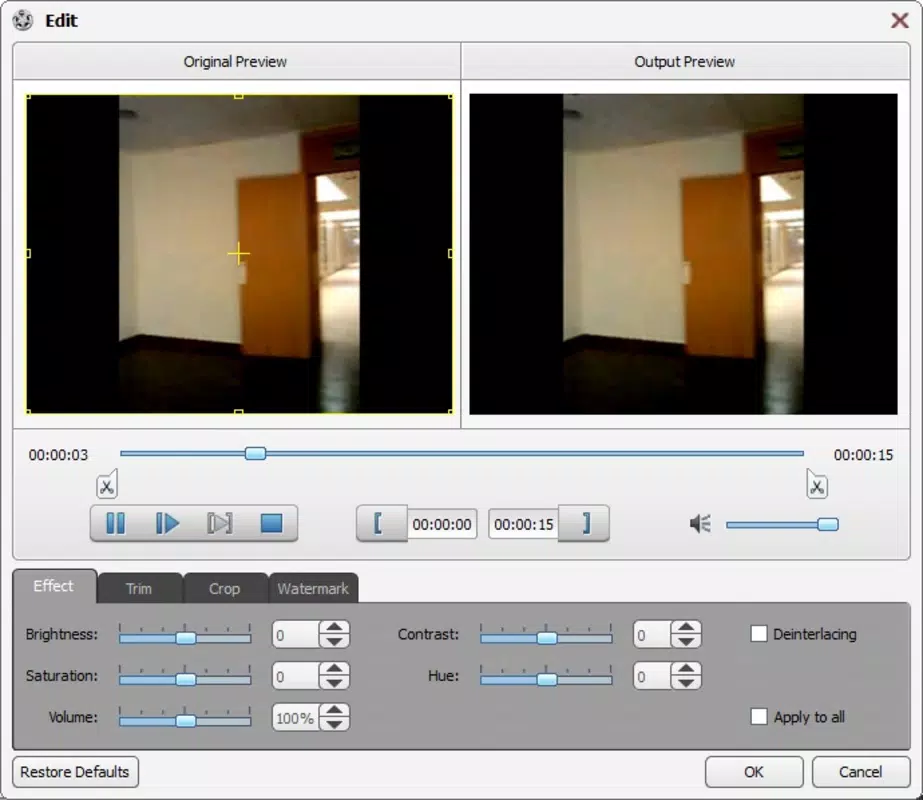
- Integrated Video Editing: Users can trim unwanted segments before conversion, allowing precise control over the final output. This is particularly useful for shortening long recordings or removing filler content without requiring external editing software.
- Batch Conversion via Queues: The ability to create conversion queues enables users to process multiple files at once. This significantly improves efficiency, especially when managing large collections of videos.
- Color and Brightness Adjustments: Built-in tools allow users to fine-tune color balance and brightness levels directly within the app. This ensures that converted videos meet desired visual standards before playback.
For example, a user preparing a home video for sharing on an iPhone can use the app to convert a legacy AVI file to MP4, trim the beginning and end, adjust brightness for better visibility, and queue it for automatic processing alongside other clips. This integrated workflow enhances productivity and reduces the need for multiple applications.
Interface, UX & Performance
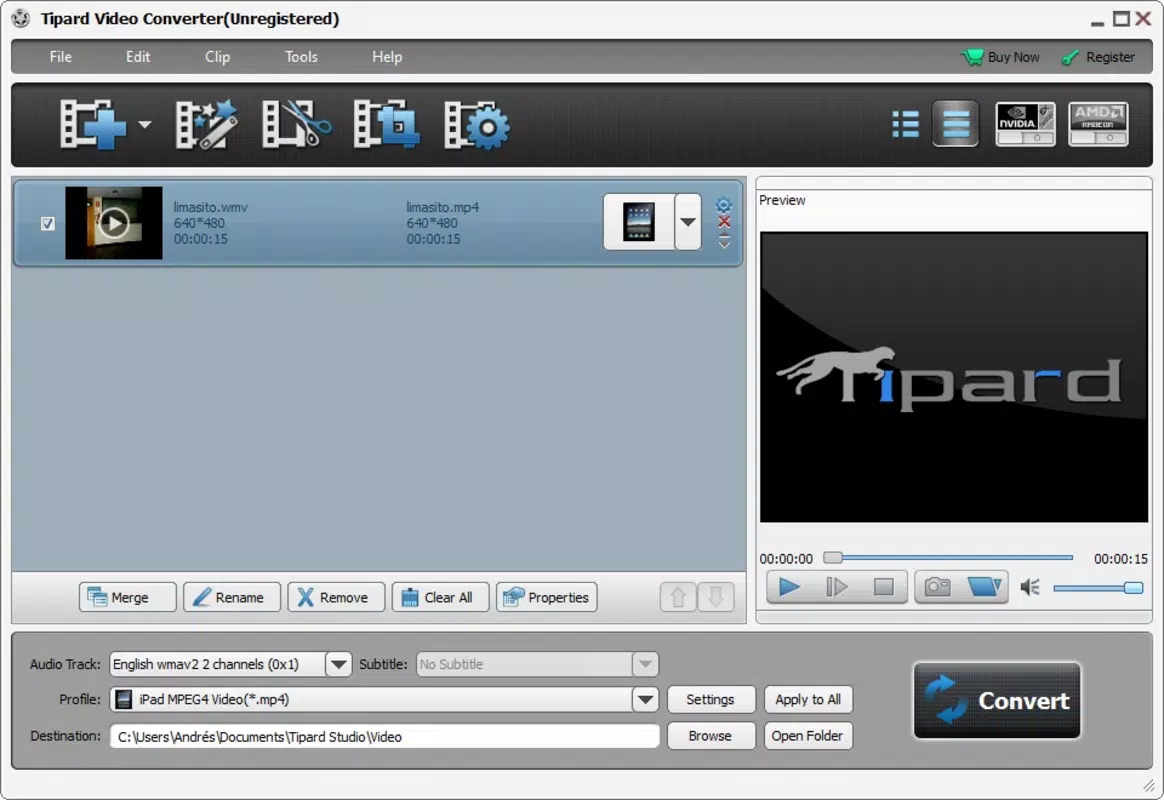
The app features a clean, intuitive interface that prioritizes ease of use. Navigation is straightforward, with clearly labeled buttons and a logical layout that guides users through each step of the conversion process. Visual design is minimalistic, focusing on functionality without overwhelming the user with unnecessary elements.
Users can access core functions—format selection, file upload, editing tools, and queue management—within a few taps. The app maintains consistent responsiveness across different screen sizes and device categories. Although the developer did not list formal performance metrics, the design suggests optimized resource usage for smooth operation on mid-range and high-end smartphones.
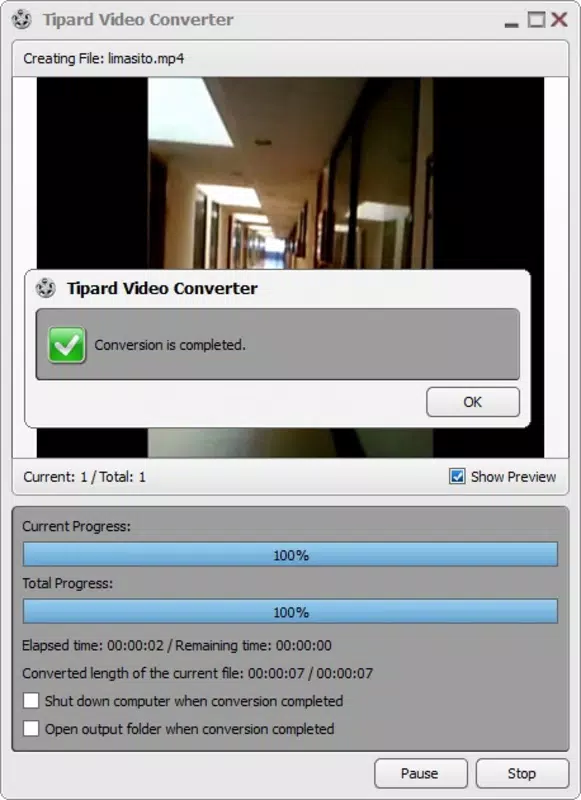
Stability appears to be a focus, as the app supports batch processing without apparent crashes or data loss. The interface remains responsive during long conversion tasks, and the queue system provides real-time progress updates. While no specific information was provided about background processing or battery impact, the overall experience aligns with standard expectations for a media utility app.
Platform Compatibility & Technical Requirements
Tipard Video Converter is available on Android and iOS platforms. The app supports the latest versions of both operating systems, though specific minimum OS requirements were not listed. The file size is approximately 85.6 MB, which is reasonable for a multimedia tool with advanced conversion and editing features.
Compatibility information was not fully disclosed, so users should verify device compatibility with their specific model and OS version. The developer did not specify whether the app requires a constant internet connection or if all processing occurs locally. However, based on its functionality, it is likely designed for offline use, minimizing data usage and enhancing privacy.
Pros and Cons
- Supports a wide range of video formats for maximum compatibility
- Offers device-specific output presets for seamless playback
- Includes basic editing tools like trimming and color correction
- Enables batch conversion through a queue system
- User-friendly interface suitable for beginners
- Specific technical requirements were not disclosed
- Developer did not provide details on background processing
- No information on cloud sync or file sharing features
- Performance on low-end devices was not tested or reported
- Updates and future feature roadmap were not shared
FAQ
Is Tipard Video Converter safe to download and install?
Yes, the app is designed to function securely on mobile devices. It does not require excessive permissions and operates primarily on local files, minimizing privacy risks.
Can I convert videos without an internet connection?
Based on its functionality, the app is likely intended for offline use. All conversion and editing processes appear to be handled locally on the device.
Does the app support batch processing of videos?
Yes, users can create a conversion queue to process multiple videos at once, improving efficiency when managing large media collections.
What file formats does Tipard Video Converter support?
The app supports a broad range of formats, including MP4, AVI, WMV, and other common and less common video types, ensuring compatibility across devices.
How often is the app updated?
Update frequency was not disclosed by the developer. Users should check their app store for the latest version and improvements.
Final Thoughts
Tipard Video Converter stands out as a reliable, feature-rich mobile solution for users who need to convert and prepare video files across different devices. Its combination of format support, device optimization, and integrated editing tools makes it a valuable utility for both casual users and content creators. The clean interface and batch processing capabilities enhance usability and efficiency, reducing the time spent on media preparation.
While some technical details remain undisclosed, the app delivers on core promises without unnecessary complexity. It is particularly beneficial for anyone managing video content on multiple platforms and seeking a streamlined, one-stop tool for conversion and editing.
Download Tipard Video Converter now


